Tuesday, June 12, 2007

SACD, the Way Forward?

At the 2003 Consumer Electronics Show in January—see the report in this issue—Sony and Philips held an SACD Event at the Hard Rock Hotel in Las Vegas. There were trippy lights. There were the Grand Pooh-Bahs of Sony, Philips, and the record labels. There was loud multichannel Big Brother and the Holding Company. And there was Sony's main SACD man in the US, David Kawakami, supplying the pep talk.

Many of us were hoping for a major announcement—the SACD format has been on the market since 1999, and CES is the big trade show of the year. Instead, we were treated to reports of incremental progress on the software front and precious little else. Even my SACD-supporter pals were scratching their heads afterward.

Kawakami trotted out the largely disproved line of free music is killing the music business. As we've reported in these pages, and online, several independent studies have linked the MP3 file-swapping habit with an increase in CD purchasing. But even if these studies are anomalous, we do know one thing: music fans aren't likely to buy what they haven't heard, and these days they don't hear a lot on the radio that they want to buy.

The "free music is the problem" point of view glosses over entirely the major reasons that sales are down: high priced, low-quality music, competition from video games and DVD-Video (both Sony strongholds), and rising resentment toward the music industry and copy restrictions. In this scheme of things, free music is almost beside the point. But to Sony, free music is apparently the problem.

Kawakami then said that, similar to the way CDs rescued the music business from a slump 20 years ago, SACD provides the opportunity to save their bacon again today. Let's take a look at this reasoning, and sort out what Sony is probably really after here.

I hardly think free cassette swapping was the problem in the early 1980s. Twenty years ago, the CD represented a major and easily perceived step forward in convenience, durability, and high-tech coolness. Twenty years later, adding Super Audio to the name, and more bits, more audio channels, and watermarking to the disc is nowhere near as revolutionary a leap as what kick-started the CD in 1983. The first CDs looked very different, and clicked instantly in buyers' minds: the future was here. Although most audiophiles considered it a sonic step back, CD survived because it was obviously so much easier to use and more portable. One format could play in the home, car, airplane, and gym.

Kawakami said he hopes the public will embrace SACD because it represents better sound quality. What I'd like to hear is how they plan to ignite the mass-market interest in sound quality. MP3 has proven that plenty of music-lovers would rather listen to second-rate free audio than pay record labels for quality.

Sony and Philips will probably never confirm this in public, but in my opinion, SACD is primarily about generating new licensing fees for their bottom line and a new way for record labels to restrict how you use their content. Remember, it's copy protection for the labels, but content restriction for consumers. Audio quality may rank first as a PR tool, but in the corporate scheme of things I suggest it runs a distant third.

Perhaps Sony's biggest spin job was announcing that 2 million Rolling Stones SACDs have been sold. However, these discs make no mention of SACD anywhere on their outside covers, and were sold almost entirely to fill the need for a decently remastered Stones CD catalog—the original CD versions were horrid-sounding and incomplete. My guess is that part of the deal with ABKCO (the label that controls the first 22 Stones albums) to include the SACD layer was that the cover could contain no mention of the format, for fear it would scare off customers.

But the big news at the SACD Hard Rock event was that Sony will release 15 Bob Dylan discs on SACD, and EMI will issue Pink Floyd's Dark Side of the Moon in surround sound. That was it. Okay, and Universal will release some Police and Peter Gabriel titles, and a few assorted others. I know there are those who think SACD has "won" with this announcement, but the facts are these: In three years, fewer than 1000 SACD titles have been released worldwide, and only a relative trickle from the other major labels is planned. I was decidedly underwhelmed.

What I wanted to hear was news of a full-bandwidth, multichannel, unrestricted digital DSD connection. You'd think that by now, after three years of "major push," and all those brilliant engineers working at it, SACD would have a digital connection sorted. Nope. Sony hardware is obviously still at war with Sony software about how to keep that content locked down.

How about Sony Music announcing, to show their commitment, that they will issue all new releases as CD/SACD hybrids? Or just a guarantee that their SACDs will all be hybrids from now on, so that audiophiles can at least play them in their cars, too? Nope. But Kawakami did mention that the Terre Haute pressing plant will start rolling out 15,000 hybrid discs a day.

Or how about SACD capability for computers, so that the growing numbers of desktop and laptop music systems can play back and make mix discs from SACDs? Nope. In fact, Sony Music's own CD-restriction ploys have made many of their CDs unplayable in Sony's own computers. With SACD, they're fighting progress and the will of the market even harder.

Or how about a real surprise—like a few Sony or Philips players going universal and adding DVD-Audio playback? After all, when faced with the inevitable, Sony did eventually start making VHS machines. But for now, Sony and Philips customers will just have to buy two machines if they want to hear Neil Young's Harvest or Linkin Park's Reanimation in hi-rez audio. Quite a few manufacturers have figured out that consumers don't like being forced to choose sides in format wars. Those customers will buy up universal machines from Pioneer, Yamaha, Integra, Lexicon, Marantz, Onkyo, Denon, MSB, McCormack, Linn, and others.

Or how about addressing an issue brought up by Mitchell Gusat on our website's "Soapbox": Since copyrights do eventually expire, do the various restriction and watermark technologies also expire at the appropriate time? Or will SACD data be locked up in perpetuity?

One final request: Please provide us with a label that clearly identifies the source format and mastering path for each SACD. We know that most discs don't start as DSD masters, but we should be able to determine the format path a disc took before it ended up as an SACD, be it analog, PCM, or DSD. When sourced from PCM, sampling and bit rate should be included as well.

Before the hate mail ensues, understand that no one here is bashing SACD—unlike some folks, who want to drop the shiny discs altogether. But as currently configured and marketed, SACD is not about giving customers what they want; it's about pushing the corporate agenda onto customers. Which is why, in 2003, it ain't gonna fly. After his keynote presentation at CES, even Sony's COO, Kunitake Ando, speculated to journalists that record labels may not have a future as a result of the Internet. "When you have a problem like this, I really wish we were a simple hardware company."

http://www.stereophile.com/asweseeit/812/

What is the difference between DVD-audio and CDs?

If you have read the HowStuffWorks article How CDs Work (as well as How Analog and Digital Recording Works), then you know that CDs store music as digital samples. The sampling rate is 44,100 samples per second, and the analog signal is converted to a 16-bit binary number at each sample. The sampling is done on two channels (one for each speaker in a stereo system).

If you have read How DVDs and DVD Players Work, you know that DVDs are very similar to CDs, but they hold more data -- 4.7 gigabytes for a DVD compared to 650 megabytes for a CD. Two-layer DVDs can store twice that.

The DVD-audio standard uses the extra data space on a DVD to do two things:

  • Increase the sampling rate and quantization levels dramatically
    Although there are a number of options, DVD-audio typically uses 96,000 samples per second and 24 bits per sample. In other words, there are more than twice as many samples per second and 256 times more quantization levels.

  • Record in surround sound (six channels instead of two)
DVD-audio has the potential to replace CDs because of the higher quality of the sound. However, there are several things that might prevent widespread acceptance of DVD-audio:
  • The standard has taken some time to gel, and it came some time after DVD-video and its players were released. Many people with DVD players today would have to replace their players to listen to DVD-audio discs.
  • It is not clear that most consumers care about the difference in sound quality, since it is fairly subtle.
  • There is a competing standard from Sony/Philips called the Super Audio CD that claims to have even better sound quality.
http://www.howstuffworks.com/question344.htm/printable

Choosing Amongst CD Players' Many Options

In the two decades or so that compact discs have been around, they have become almost universal in serious audio systems. Yet, judging by the number of players on dealers' shelves, they are still selling briskly as people upgrade or add second or third machines. Here are a few hints for when you hit the stores looking for a new CD player.

When the first players arrived on the market, the system was touted as "perfect." Few audio enthusiasts accepted the claim at that time, and few do today, but it is certainly true that the variations in performance from one player to another are very small, and the question of whether or not there are any audible differences at all is still hotly debated.

Nevertheless, the CD's popularity has resulted in a huge number of models, all jostling for their distinctive places in the market. Because the difference in the sound between one player and another is so small, there is little chance that you will get burned on audio quality whatever you choose. But the range of features and functions available is huge, and you should plan to spend considerable time sifting through the options that are available and matching them with what you need.

The first players were single-disc models designed to be part of a home audio system, and that category is still popular. But there are alternatives that may well suit you better. For instance, portable CD players match the performance of their full-sized cousins closely, and most have line-level outputs and AC power supplies that allow them to be hooked up to a home system. Often this is attractive if your hi-fi already takes up so much space that an additional component would be hard to accommodate.

If you need elaborate programming, a CD changer might be the best choice, as it allows extended hands-off playing. A magazine-type changer lets you put together more-or-less permanent programs that can simply be popped into the changer whenever you want to play it (or inserted into a trunk-mounted changer in your car, if it's the same brand). More flexible, perhaps, is the carousel changer, but you are limited to five discs, and they must be loaded and programmed anew each time you fire up the system. Jukebox-style changers hold anywhere from a couple of dozen to hundreds of discs, usually with elaborate programming options.

One of the most attractive things about CD players is that they allow you to be selective about what you play and the order in which you play it. To some extent, all CD players have provisions for such programming, but they vary widely in details, so it's worth taking some time in the store playing with the controls to make sure they will do what you want and are easy for you to use -- what may be intuitive to one user is often unbearably awkward for another. A CD is small enough that it should only take an instant to move the laser from one place to another, but there is a surprisingly wide range of speed differences from machine to machine. Some take almost no time, others can take up to ten seconds to jump from the first to last cuts. And some machines, although fairly sprightly when jumping from track to track, take forever to get going. This may not matter to you, or the delays may drive you crazy; either way you should know what you're getting.

Although CD players are not usually as vulnerable to physical disruption as their vinyl predecessors, some are more likely than others to skip when faced with vibration (dancing, say). Many manufacturers have made specific efforts to provide shock absorption, so if you expect this to be a problem, jump around a bit in the store to see what happens. If your listening is more placid, however, it makes little sense to pay for much in the way of stabilizing.

You can't really see what's going on with your discs, so it's important that the front-panel display tells you what you want to know in a way that you can read. Some are too dim or too small; others cram so much information into the display that it's hard to figure out what's happening. A good compromise is a display that conveys everything, but for ordinary listening shuts off all indicators except the track and time.

With very few exceptions, today's systems require a CD player to be connected to a normal high-level input on an amplifier or receiver. Some of these contain their own digital-to-analog conversion circuitry, however, there are a number of outboard converters on the market as well. To serve them, most players provide digital outputs, either coaxial or optical or both, along with the conventional analog outputs. These may not mean very much to you now, but the separation of players and converters will no doubt continue, so it's wise to consider digital outputs if there's a chance you will upgrade the rest of your system in the near future.

The compact disc system incorporates a sophisticated error-correction code that enables a player to detect missing data and usually replace it before we can hear that it's gone. Not all players are equally adept at using this information; some are much more prone to skipping and other problems. Unfortunately, it's often hard to know just how good or bad a player is until you have lived with it for a while, but your dealer might be able to aim you in the right direction as long as you express concern for this aspect of performance. If you own a disc that has caused problems in the past, take it with you when you shop and restrict your choices to machines that will play it without problems.

http://www.mastersonaudio.com/tips/20030401.htm

Digital Evolution -- Part One

I originally formed the idea for "Surrounded" after becoming convinced of surround sound’s ability to create a better musical experience in the home. Coming to this realization posed what I thought would be considerable obstacles, from both philosophical and logistical standpoints. I mean, I’m an audiophile, and you and I both know that we audiophiles can be slow to change our long-held beliefs.

The philosophical speed bump turned out to be quite easy to overcome. If I could have better sound, which equated to more musical realism, which lead to more enjoyment, I could suppress any feelings of nostalgia for two-channel-only audio. In this instance, my logical self quickly won out.

The logistical issue was one I had partially addressed when adding home-theater capability to my system. Of course, multichannel music requires arguably even more precise speaker placement and greater system resolution, so it was not accomplished without planning and a considerable financial outlay. But I came to find that the promise of better music in the home conquers almost any tradition, budgetary consideration, or décor issue -- as many of you already know.

Just when I thought I was home free -- "I’d made a seamless transition," I thought to myself, "like a well-designed crossover, heh, heh, heh..." -- another obstacle smacked me in the head. I didn’t have the technical knowledge to really communicate to our readers the finer points of multichannel music and the high-resolution formats. Sure, I could listen and from that standpoint things were clear, but I wanted to keep pace with the technical aspects, too. It’s a good thing a writer has his sources, or resources in this case.

Thus was born the idea to develop a primer for digital audio that would take us through CD and into both DVD-Audio and SACD. The goal is not to declare a winner, but define the participants. So, armed with a desire to understand the two principles in the high-resolution multichannel-music arena, I enlisted the fine gentlemen at Switzerland-based Anagram Technologies to help. Anagram Technologies, for those that don’t know, is a Swiss company that provides digital solutions to some of the brightest manufacturers in audio. These companies include Cairn, Audio Aero, Camelot Technology, Audiomecca, Talk Electronics, and Nagra, just to name a handful. Orpheus Labs -- a company wholly owned by Anagram’s principles -- and maker of the very fine Orpheus Two multichannel preamplifier, has benefited from their knowledge base as well. And with that, off we go into our conversation with Florian Cossy and Thierry Heeb.

Jeff Fritz: For those not familiar, please tell us about Anagram Technologies, Orpheus Laboratories, and your background in electronics design.

Florian Cossy: The Anagram story is, first of all, a story of friendship between Thierry Heeb [Anagram Technologies’ DSP engineer] and myself. We have been friends for about 13 years now, both having related university cursus [degree] -- Thierry is a mathematical engineer and I am an electrical engineer. We both had the opportunity to work as consultants for Goldmund back in 1996. As time progressed, we agreed less and less with Goldmund’s "philosophy" and we decided to create our own company. Anagram Ltd. was born.

The goal of this first company was to provide innovative A/D and D/A conversion solutions to the high-end-audio domain. We developed the ATF module and then found a customer base -- Audio Aero and Cairn were the first ones. What is really funny is that Goldmund has never been a customer, even though they have tried our A/D and D/A solution and found it outstanding!

We were not able to do it all ourselves and we decided to expand. In May 2000, Reynald Gentizon became the third person to join the company as a partner, and we decided to change the structure of the company: Anagram Ltd. became Orpheus Laboratories Ltd. and we created Anagram Technologies Inc. The goals were quite different: Orpheus Laboratories was used as a demonstration brand for Anagram Technologies’ solutions, so that our potential customers would have working units to evaluate. Daniel Oertli joined us in late 2000, and he is the last partner in both companies.

Orpheus is today growing and seems to interest audiophiles all around the world. That's why we have developed an entire system with even more new products due to be announced this year.

Anagram has also grown a lot since 2000. We now have many different types of customers -- high-end audio, mass-market audio, semiconductors, and even automotive companies. Some of them do not want to be named. We are seven people, and we will be nine by April 1, 2003. The goal today is not only to provide solutions to high-end audio manufacturers, but also mass market -- not only in the audio domain but also in the video and measurement domains.

Today, we are trying to separate both companies in order to clarify for people what we do.

JF: As a beginning to our discussion on the high-resolution digital formats -- namely SACD and DVD-Audio -- can you breakdown the concept of the CD?

FC: A CD can be seen similar to the LP for the mechanical construction: You have a spiral track that covers the disc itself, between the diameters 50mm and 116mm, of the 120mm disc. The track pitch is 1.6 micrometer.

CD has a table of contents in which you have the position of each track -- from a logic standpoint (not physical) -- and the length of the track. This can be seen as similar to the index of a book.

Data is stored with redundancy, which means that when the pickup reads the data, there are control bits that confirm a correct reading (checksum bits for example1). If the reading has an error, the decoder will either have enough information with redundant bits to correct it or it has to use an algorithm to place missing information in the datastream.

JF: How, mathematically and from a physical-structure standpoint, is the maximum resolution of a CD determined?

Thierry Heeb: First of all one has to understand that the CD is a digital media. That is, all the information on the CD can either be expressed as a "1" or as a "0." There are no in-between values possible. This fundamental piece of information is called a "bit."

As with any digital media, a certain number of bits are grouped together to form a significant piece of information called a "word." According to the Red Book (i.e., the specifications for the CD format), a word is formed of 16 bits. One 16-bit word represents a sample of one audio channel. There are two audio channels on a CD.

The sampling frequency of the CD is specified to be 44.1kHz. To state it simply: CD is encoded as 16-bit PCM at 44.1kHz. (For more information on this, please refer to the answer to the next question.) Each bit on the CD is represented as either a small hole or a small bump (depending on its value of 0 or 1) that will deflect the laser differently allowing the recognition of a 1 or a 0.

Let’s dip deeper into the matter of CD resolution. With 16 bits per word, you can actually code 216 which equals 65,536 different values. Imagine having 16 LEDs, and each of them can be turned on or turned off. The first LED will give you two choices (on or off), the same for the second LED, and so on up to the 16th LED. So we end up with 2 x 2 x 2 x 2… (16 times), which calculates to 65,536 different values. But how does this relate, first to numbers, and then to an analog audio signal?

Let us put a numbering value (N) on the 16 bits described above. Let us call each bit B0, B1, up to the 16 bits in the word we are considering, according to the following formula:

N = -B15 * 215 + B14 * 214 + B13 * 213...+ B2 * 22 + B1 * 21 + B0 * 20

This gives a univocal [unambiguous] mapping of our 16 bits to the number range -32,768 to +32,767. This number range can then be mapped to an analog voltage with proportional values. This is indeed what a D/A converter does. If we imagine a 4V output signal, -32,768 would correspond to -2V, and +32,767 to +2V, and 0 would correspond to 0V. Intermediary values are mapped linearly, correspondingly.

As can be seen from the above, the smallest signal variation that can be coded on 16 bits is equal to 1/32,768 x full scale. In other words, we have a resolution of 1/32,768 with a 16-bit coded signal, which corresponds to about -96dB THD+N, as each bit represents about -6dB.

In comparison, whereas a 16-bit signal has a precision of 1/32,768, a 24-bit signal has a precision of 1/8,388,608, or 256 times better than 16 bit.

There are methods to enhance the apparent resolution of CD past the theoretical 16 bits. These techniques are either based on dithering or noise shaping. Dithering acts by adding a pseudo-random low-level signal to the audio to be coded. This pseudo-random sequence cleans out the quantification noise (truncation of a value to 16 bits). Noise shaping, on the other hand, works by moving unwanted noise to less-critical parts of the spectra. Indeed, with those techniques, it is possible to get more than 16 bits of resolution on part of the spectrum of a 16-bit coded signal.

JF: Give us a synopsis of PCM audio, its benefits, and limitations.

TH: PCM stands for pulse coded modulation and is based on Shannon’s Sampling Theorem.

Shannon’s Sampling Theorem states that a stationary and band-limited signal can be exactly reconstructed from its samples, provided the sampling frequency is higher than twice the maximum frequency present in the signal.

A good analogy to PCM is a movie track. The movie track is made of a succession of still pictures (at about 24 images/second). One can consider each of these pictures as a sample of the movie -- it’s like taking a still picture 24 times per second. When the movie is projected in a theater, what is projected is indeed the succession of the still pictures. The pictures’ change rate is high enough that we perceive the image as moving continuously in time. Indeed, the movie picture is an excellent example of a sampled system.

There is one major difference between the movie and PCM audio: The still picture we were describing is made of analog pictures in the sense that they are recorded on film. Imagine now that we are scanning those pictures into a computer. We tell the computer to use a certain resolution, say for instance 640 x 400 points. This means that the image will be cut into 640 rows and 400 lines, producing a large number of little squares (pixels) and the image will be constant on a given pixel. Think in these terms: We replaced the analog picture (without pixelization) with a digital picture with a given resolution (the pixel size).

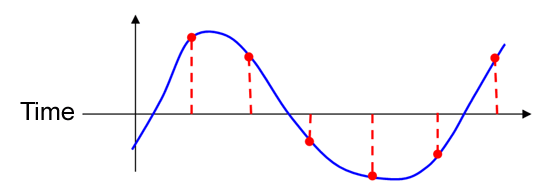
So let us link this analogy to audio, and PCM in particular. We start with an analog signal.

First we start by taking "still pictures" of the signal at a high rate. This is the process of "sampling."

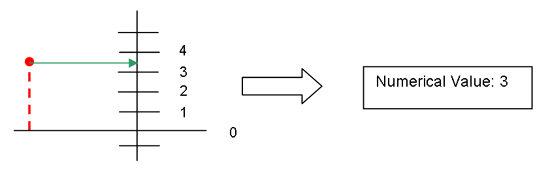
Then we "pixelize" the audio creating "still pictures." This is called quantification (i.e., we choose the resolution of the signal (16, 20, 24 bits) and associate the corresponding numerical value).

200304_graph2.gif (4622 bytes)

The number sequence given by the sampling and quantification of an audio signal as described above is the PCM representation of the given audio signal.

Benefits of PCM

  • Easy to understand when compared to more sophisticated modulations such as PWM, DSD, et cetera.
  • Natural way of expressing an audio signal.
  • Linear by nature.
  • Easy processing of PCM-coded signals.
  • Very large PCM-compatible digital audio gear in the field.

Limitations of PCM

  • Limited bandwidth (at least with 44.1kHz or 48kHz) for transient reproduction.
  • Non-suitable for direct digital amplification.
  • Loss of phase information in the higher part of the spectrum on short signals.

In part two we’ll delve into the DVD as a storage device for SACD and DVD-Audio, and discuss Meridian Lossless Packing (MLP) and Direct Stream Digital (DSD).

http://www.soundstage.com/surrounded/surrounded200304.htm

Digital Evolution -- Part Two

Last month we examined the CD and the basics of PCM audio. This month we continue our discussion with Florian Cossy and Thierry Heeb of Anagram Technologies.

Jeff Fritz: You've explained the physical structure of CD as a digital storage device, and PCM as a method of encoding and reading audio content on the CD. Can you give us an idea as to the physical differences between the CD and DVD as a storage device? I think many audiophiles mistakenly lump the storage device together with the encoding method, because both DVD-Audio and SACD use the DVD as their physical carrier.

Thierry Heeb: Both CD and DVD are optical discs for data storage. Basically, the maximum capacity (in terms of data) that can be stored on a CD is 650MB. "B" stands for byte, which is a group of eight bits. (A byte is something naturally referred to in the computer world). The "M" stands for mega, which is the abbreviation for 106, like Kilo (often noted "k") stands for 103 and comes from ancient Greek "kilos" meaning 1000. But remember that computers are binary beings. As such, they know how to manipulate numbers, which are a power of 2, very easily. That’s why in the computer (and generally in the digital) world, a KB (or kilo-Byte) is indeed not 1000 bytes but 1024 bytes (because 1024 = 210). In the same way a MB is in fact 1024 kilobytes or 1024 x 1024 bytes.

On the other hand, a DVD can store up to about 4.37GB (one GB = 1024MB!). This is about seven times more than a CD. DVDs can also be multi-layered and/or multi-sided. In this case, capacity can grow up to more than 17GB (double sided, double layered). Basically the DVD is just much more finely pitched than the CD. There are of course other differences between the two, like the wavelength of the laser used to pick up the data. As the data pitches are much smaller on a DVD, the wavelength of the laser must be smaller or else it wouldn’t see the smaller bumps or holes on the surface of the disc.

One very important thing to remember is that CD and DVD are simply data-storage devices. Their physical structure is the same, whatever the data you are writing to them. As an example, you can take a standard CD-R and either write computer data (files) to it or you can write audio to it (CD audio). While the physical device is the same, the way data is formatted (i.e., organized on the disc) will differ. The same applies to DVD. There are DVD-ROMs, DVD-A, DVD-V, and SACD (more on this later)! All these discs share the same physical properties (at manufacturing).

Then, what changes is how the data is formatted on the disc. For instance, for DVD-V you will have a large video data section and a small audio section; on DVD-A on the other hand, more space is allocated to audio and only a small amount of space is allocated for still images.

Then there is SACD. SACD uses the DVD disc as its physical carrier. What differs is, again, how the data is organized on the disc and what these data represent. The big difference is that audio is stored in DSD format, not in PCM as on DVD-V or DVD-A. (For more information on DSD please refer to the last question.)

To give an illustration of all these concepts an analogy with a book is a very good starting point:

Imagine an editor, editing books in two languages but using the same layout (e.g., table of contents, prologue, chapters, epilogue).
Books DVDs
Book format (physical) --> Disc (physical)
Book layout (not language, nor content dependent) --> File system (how to access the information)
Book subject --> Audio, ROM, or Videodisc
Book chapters Tracks
Book language --> Data encoding (PCM for DVD-A, DVD-V or DSD for SACD)

This analogy illustrates that even though SACD and DVD share the same physical support and file system they are not written in the same language. Therefore, they cannot be understood by a reader from another language! So basically the design of a universal player is not related to the data pickup mechanism but to the design of software able to understand the data present on the disc.

JF: From a mathematical standpoint, how does the extra storage capacity on DVD equate to the theoretical maximum resolution?

TH: A normal DVD can hold about 4.37GB per layer (DVD discs with up to 17GB of capacity do exist). This is about seven times more than a CD. Thus, the extra storage capacity can hold much more music than a CD. The following table shows how much music can be stored on one layer of the DVD-A (the last column refers to the additional use of MLP in order to compress audio in a lossless way).
Bit Rate Sampling Frequency Channels Uncompressed MLP Compression
24-Bit 96kHz 5.1 N/A * 100 Minutes
24-Bit 96kHz 6 N/A * 86 Minutes
24-Bit 96kHz 2 150 Minutes 240 Minutes
24-Bit 192kHz 2 75 Minutes 120 Minutes
16-Bit 44.1kHz 2 420 Minutes 720 Minutes
16-Bit 44.1kHz 1 840 Minutes 1500 Minutes

As one can see, this is considerably more than CD. Now the maximum resolution available on DVD is not really related to the DVD itself but rather to the data format used. Theoretically you could imagine for instance storing 32- or even 64-bit audio on the DVD. The same applies to CD. Imagine you are using your CD not as an audio device but as a CD-ROM. In this case nothing prevents you from storing 64-bit audio on your CD. The only price you’d have to pay for this is reduced duration of the stored music.

JF: As you mentioned, DVD-Audio uses Meridian Lossless Packing (MLP) for audio encoding. Can you give us a synopsis of the process?

TH: First of all it is important to understand the difference between a lossy and a lossless coder. A lossy coder is a coder like MP3, AC-3, or even DTS. If you compare an original bitstream with the output of the encoder/decoder process, you would notice that the two bitstreams are not bit-by-bit equal. From an information-theory point of view, there has been loss of information (the two streams are not identical). These coders rely on psycho-acoustical principles that allow one to remove information from the datastream. The information removed will be the information that is less noticeable to our hearing system. Techniques like time-domain masking and others are used to reduce the amount of significant-frequency-domain components, and thus the data rate. So all these lossy coders indeed remove some information in the frequency domain, which means only the reduced data set is stored on the disc. At playback, the decoder reconstructs a time-domain model of the signal. Without a doubt, this reconstructed signal will not be identical to the original in the sense of information theory, but from a human-hearing point of view they should at least be very close. Good lossy codecs can achieve data-reduction rates of 1:10 or more (AC-3, MP3) with not much noticeable loss of detail, thanks to our brain, which helps reconstruct what seems to be missing!

On the other hand you have lossless coders. Lossless coders are coders where the input and the output of the encode/decode process are strictly equal. One good example of a lossless coder is WinZip! We can illustrate the difference between a lossy and a lossless coder by an analogy to the computer. Imagine you have a very high-resolution picture on screen in bitmap format. Now imagine that you pass it through WinZip and save it to your disk. Clearly there will be some reduction when comparing the original file size and the output of WinZip. Data has been reduced. If you now unzip your file and reload the image, they will be equal, pixel-by-pixel, bit-by-bit. Now imagine that you compress your image using a low-resolution JPEG and save it to your disk. If you now reopen this latter file and compare it to the original image, there will be some loss of detail. Now if you sit back from the screen far enough, the original and the JPEG image will look the same; it’s only in the details that they change. So there you have a good example of a lossless (WinZip) and a lossy coder (low-resolution JPEG).

The theory of lossless coders is again related to information theory. It has been shown that the maximum compression ratio of a lossless coder is 1:2 (in theory). This means that from a theoretical point of view it is not possible to build a lossless coder which can compress data to a factor larger than 2. This does not mean that there doesn’t exist datastreams where the compression ratio would be better than 1:2, but only that you cannot guarantee compression greater than 1:2 on arbitrary data. Going into the theory of operation of MLP would probably go far beyond the scope of the intended article, but the MLP process relies on the following techniques:

* Bit Shifting - avoids wasting bits for unused dynamic range
* Matrixing - puts the audio common to multiple channels into one channel
* Prediction Filters - predicts the next bit of audio based on the previous audio
* FIFO Buffer - smoothes the instantaneous data rate
* Entropy Coding - compresses the final data as tight as possible

JF: Same question except SACD and its use of Sony's DSD process.

TH: This is quite a tough question! First of all, SACD information is not really stored in DSD format, but in DST (this is not a typo!). DST is a lossless (see information on MLP above) coder that reduces the data amount to be stored/read to/from the disc. DST allows one to reduce the data rate such as to be able to transmit six channels of high-resolution audio. As DST is a lossless coder; there should theoretically be no difference in the DSD-DST-DSD coding/decoding process.

DSD is just another way to represent audio data when compared to PCM. Unlike PCM, which acts on quite big data words (16 to 24 bits), but at low sampling rates (up to 192kHz), DSD uses the smallest data word possible (1 bit) but at a very high sampling rate (2.8224MHz = 2822.4kHz). That is, a DSD signal can be seen as a sequence of 0s and 1s. The amplitude of the signal is then proportional to the density of 1s in a given time frame. This is why DSD is sometimes referred to as pulse density modulation (the 1s being the pulses).

The question is this: How do I get from an analog signal to a DSD sequence of 0s and 1s? To do this a large amount of an audiophile’s nightmare is used: feedback. Yes, DSD is a technology using a tremendous amount of feedback to work properly. The feedback is provided by Delta-Sigma modulation (something which can be shown to be equivalent to noise shaping).

Delta-Sigma Modulator (simplified):

The Delta-Sigma modulator works as follows: The difference between the input signal and the feedback is integrated multiple times and the sign of the result of this integration is the output value of the 1-bit quantizer (for instance a positive value would be coded with 1 and a negative value would be coded with 0). The integrators move the error out of the lower part of the spectrum, providing noise shaping of the input signal. Noise shaping can be described as moving noise from one part of the spectrum to another. In the DSD application, noise that would be induced by the rough 1-bit quantizer is moved out of the lower part of the spectrum to the higher part:

The blue line represents the spectrum of the original signal. When passed through the DSD modulator the resulting spectrum is the one of the original signal (blue) plus the noise introduced by the Delta-Sigma modulator in red. One can see that DSD introduces a lot of high-frequency noise. This high-frequency noise must be removed. This implies the use of an analog low-pass filter (green) usually tuned at around 50kHz to 60kHz. If not properly designed, this filter can introduce phase rotations in the audio band.

Just a few remarks to conclude: If we have to use a low-pass filter at around 50kHz, the claimed 100kHz bandwidth of SACD will never be reproduced at the output. SACD uses a lot of feedback, so audiophiles who are allergic to this should refrain from using SACD, or change their view about feedback!

Concluding, conclusions...

As I conclude this series of articles, I’m struck by a few relevant and interesting details regarding the SACD and DVD-A formats. This relates, in no small part, to the way both formats were marketed and the effect that marketing had on audiophiles as they filtered into either camp (causing some contentious debates). Bluntly stated, there are some striking similarities between DVD-A and SACD. The most obvious fact is that both use the Digital Versatile Disc (DVD) as their storage device. That’s right, a DVD-A disc and an SACD are both DVDs.

Concluding how clearly superior the DVD is to the CD from a storage-capacity perspective, it’s easy to see why the DVD itself is the chosen carrier for whatever audio format is favored by the record labels or artists. In fact, the DVD is strikingly flexible: Dolby Digital, DTS, DVD-Video, PCM audio, MLP, DSD, and MP3 -- they’re all stored, or can be, on DVD. So whether DVD-Audio or SACD wins out (I’m increasingly of the opinion that both will survive to some extent), it can be concluded that the DVD as a storage device will reign for a long time. Who knows -- another format might prove superior to both DVD-A and SACD, and still be stored on the DVD!

We can also conclude that in some form, the DVD will replace the CD eventually. Now this doesn’t mean SACD or DVD-Audio per se, but just due to the increased storage capacity it makes complete sense. Picture the same content found on your CDs, along with some extras like concert videos and interviews, lining the shelves of every music store. Some of them might just contain good ol' two-channel audio, but many will have Dolby Digital 5.1, DTS 5.1, SACD, or DVD-Audio. Universal players for the car will exist to play back all of these, and auto-based video capability will grow by leaps and bounds. Quite easy to imagine, huh? I guess the one thing we can hang our hat on is the "versatile" aspect of DVD. They got that part right.

I’ve said many times that I don’t much care whether SACD or DVD-A "wins." What I do care about is that we have high-resolution multichannel music, and that means a way to get it into our homes. Whatever happens, that technology is here in several forms today. The revolution is clearly underway.

http://www.soundstage.com/surrounded/surrounded200305.htm

How To Impress Your Friends With SACD

How To Impress Your Friends With SACD
AudioRevolution.com and RevolutionHomeTheater.com readers are the ambassadors of new AV technology to the non-enthusiast world. While you sometimes have to take a little friendly verbal abuse (ball-breaking, as it is called in Jersey) for investing $20,000 in a TV or $7,900 in a new preamp, your razzing comes more from jealousy and envy than anything else. Your mission (if you choose to accept it) is to show your neighbors, friends and technically savvy acquaintances why you are so gaga about audio and video.

One of the latest and greatest audio technologies to come along in recent years is SACD. By now, you likely know that SACD is one of two formats competing to replace the 20-year veteran known as the compact disc. Although it began as a primarily stereo format, SACD has blossomed into a high-resolution surround format capable of taking you places that a standard CD cannot. The goal of this article is highlight the way to best show off the new format to your friends. This includes explaining to them on a basic level how SACD works and why it is better than the CD that they might think is just fine. I find the best way is to talk a little computer talk. Everyone now knows what bits and bytes are. SACD discs have more space, which allows more room for storage of information than a CD has. SACD also uses a different encoding method called DSD, which allows even more music to fit on a standard-sized disc. If needed at the end of your demonstration, you can do an A-B test with one (or a few) of the titles you played, assuming your guests aren’t completely blown away on the first round.

You want to be sure to explain the differences between the standard SACD discs and the hybrid discs. Standard SACDs, which make up much of the current overall SACD catalog, can only be played in a special SACD player. These range in price from a few hundred dollars to many thousands. Some of these SACD players also play DVD-Video discs and all of them play your existing collection of CDs. Some SACD players can also play the competing DVD-Audio discs, but the vast majority of the players in the market do not. Another point you want to make is about surround sound. SACDs are generally marked if they are mixed for surround sound playback. You also need to have your player connected to a fairly up-to-date receiver or AV preamp with a 5.1 analog input, so that you can enjoy all of what SACD has to offer you in surround sound. Although it is not the best-sounding option, certainly the easiest and most cost-effective is an all-in-one system, such as Sony’s Dream System, which is priced around $1,000.

Some things to think about before you start spinning the music include getting your rap down. If you have guests over, make sure they have a drink in hand and are seated in the “hot spot” in your system. It makes them feel special and shows to them that you have put special attention into setting up your system at a very high level. Dim the lights as best you can. If you have Lutron controls for your lights, then you will have presets that don’t put you in the dark but still de-emphasizes the visual as part of the musical listening experience. If you don’t have a fancy lighting situation – no problem. An Ikea floor-standing lamp with dimmer and a few strategically placed candles works well. I keep a Tiffany’s crystal tea light holder near my rack for night time listening sessions which illuminates beautifully. The crystal piece (even from Tiffany’s) didn’t cost more than $50, if my memory serves me right.

After you have explained all of the technology and have your guest(s) seated and ready for takeoff, you want to take a lesson from the world’s best DJs and manage the tempo and emotions through the music. You are in control of your system and you want to grab your guests’ attention. Of course, everyone’s taste in music is different and you want know if someone is more into jazz or pop before playing your demo. For the most part, I stick with mainstream music that people have heard elsewhere before. Rarely do non-audio-geeks do A-B comparisons between formats, so if their basis for judging songs from Thriller is the radio or their CD player, then your job of impressing them got a lot easier.

A critical detail I learned from doing demos while working for Mark Levinson at Cello Music and Film Los Angeles and Christopher Hansen at Christopher Hansen Ltd. in Beverly Hills was to never let a song go much longer than 1:30. Really, what I am listening for is a good spot in the first chorus where I gently roll down the volume and get my client’s (or your guests’) thoughts on what they just heard. While they are raving, I cue up the next disc. You might need a little Maglite flashlight to make this process go more smoothly if you are effectively dimming the lights. You don’t want to make it too dark, but you do want to take the process of looking all over the room out of the music listening experience. The idea of playing a song to the first chorus is to give your guest a taste of the tune, but not the whole experience. They can get immersed in that at home if they invest in a system.


You want to be flexible with your demo material to a certain extent, based on the tastes of your guests. Here is my basic SACD demo repertoire that I make changes to, depending on who will be listening. You want to start slowly with stereo music and get into more and more intense tunes and then surround sound. You want to have your closer already picked out and then another cool disc to put on after you are done with your demo for background music while you discuss your system, the new formats, music and more.

Jerry’s Suggested SACD Demo Repertoire

1. I like to start with something like “The Girl From Ipanema” from Getz-Gilberto (Universal – Verve) which is handily the first track on the disc. It is an open and acoustic recording with a melody that people know around the world. The recording is beautiful on any format but it really shines on SACD. You can do a little bit on how the record literally defined Brazilian Jazz. You want to roll the volume down a few measures into Getz’s first solo.

2. If your guests are golfers, you might spin a track from Notes From a Hebridean Island from Linn Records. Also an acoustic recording, this record has stellar sonics and makes you feel like you should be taking a few warm-up swings before teeing it up at Carnoustie or Old Head. You don’t want to get too deep into this disc for demo purposes, but it sets a nice mood. I specifically like this disc for background listening while I read. It is way out of my stereotypical musical tastes, but it sounds incredibly liquid and periodically sneaks my attention away from my book and back into the music.

3. Next I build some suspense with “All Blues” from the all-time classic Kind of Blue. You can pre-sell the fact that this record has been mixed into surround sound, but it has been done very subtly. Suggest that your guests listen for the specific detail of the brushes on the cymbals start. You can let this track roll a little longer than normal. I find the best spot to bring it down is about halfway through the first Miles solo.

4. You’ve set a jazzy and low-key mood with your first three tracks and now you want to pick up the pace a little. I therefore suggest you make the transition with something fun like Legalize It from reggae legend Peter Tosh. This SACD is mixed in surround and, unlike the previously-mentioned recordings, is not acoustic. It is also more upbeat. Be sure to point out how the wa-wa guitars are in the rear speakers and how Tosh’s vocals beam from right in the middle of the two speakers.

5. If you are showing off your system for Baby Boomers, especially women, try “Piece of My Heart” from Cheap Thrills, featuring Big Brother and the Holding Company. If the Peter Tosh record you just played didn’t make your guests want to fire up the bong and relive forgotten moments of 1967, this cut will. You want to manage this demo carefully, because it isn’t a pristine live recording, but it is swiftly mixed for surround sound. Be sure to point out the backup singers mixed in the rear channels and give this track a little more volume than the earlier acoustic tracks.

6. En route to bringing your demo to a close, I recommend that you move towards Earth Wind and Fire’s That’s The Way of the World: Alive in 1975 and the track “Shining Star.” Also a live recording, this cut shows vast improvements in live recordings over a relatively short period of time. I often muse about the anti-disco movement sometimes caused us to forget how incredible a band Earth Wind and Fire was (and still is). They can really play and this surround sound mix allows you to hear a large-scale pop-funk act blasting out their big hits with big sound. Roll the track down at the part where they start to rap, which is right before the tune modulates to another key.

7. To wrap things up, you will want to play something like “Money” from Pink Floyd’s Dark Side of The Moon. Everyone knows the tune and the surround sound mix is more deliberate than some of the earlier tracks I suggested. The cash register sounds really bounce from speaker to speaker, driving home the potential of listening to music in surround sound. Spin the track down somewhere in the sax solo.

By no means is this the definitive soundtrack to highlight SACD for every listener, but it is a good place to start. You can plug in new discs as they are released, which will expand your own chops as a SACD DJ.

Remember to have fun with the entire event. Invite guests for a summer barbeque or a more formal dinner party. Make the music as much a part of the fun as the food, the wine and the company. Being the ambassador to the world of high-end AV for your friends is an important role. Your research and learning from publications like AudioRevolution.com and RevolutionHomeTheater.com are an essential element to the success and growth of the industry. If you can show your friends the value that great-sounding music can bring to their lives, you are doing more than your part to help make these new formats become part of the mainstream culture.

http://www.modernhometheater.com/howto/sacd/index.html

Making Compact Discs

The compact disc has become one of the most familiar objects in electronics, but although the iridescent little discs are everywhere, few people really know how the shiny things come to be.

Or so it appears. I read an explanation recently, in which the writer had a laser burning data into a thin metal disc, which was then bonded between a couple of sheets of plastic to make the final product. It is true that lasers are used to make the original master, and certainly lasers are used to play CDs, but they form no part of the process of manufacturing a commercial compact disc.

So here’s how it’s done. The same techniques are used with other optical media, such as the various forms of DVD.

A CD starts out as a digital tape recording, in which strings of 1s and 0s -- the binary digits, or bits -- are recorded as on-off pulses. The master CD is created by focusing a very fine laser onto a glass disc coated with photosensitive material. As the laser is moved gradually across the surface of the spinning disc, from center to edge, the pulses on the tape switch the laser on and off. When the laser is on, it exposes the surface of the disc like a piece of photographic film.

After the completed disc has been "developed" like a photo negative it is given a chemical wash that has no effect on the areas that were not exposed by the laser, but which dissolves the coating where there was exposure. What's left are a series of depressions, or pits, where the laser hit the surface during the mastering process. These microscopic pits form the digital code your CD player will eventually read.

A thin coating of nickel is now plated onto this pitted surface. When it is sufficiently thick to hold together, it is carefully peeled off the glass disc. Its surface is the reverse of the master: where there were pits, there are now bumps or ridges representing the digital data. This metal "father" could be used as a mold to make the final discs, but this is usually only done for very small runs. Instead, the negative father is used to create a number of plastic positive "mothers" that go through the same plating-and-peeling that the master did. The result is a number of negative "stampers" that are used to press the final discs. Each stamper can make between 5000 and 10,000 compact discs.

The process, if you hadn’t noticed, is in essence the same as for making vinyl LPs, even down to the terminology.

Stampers are tested in various ways before they are used. They are spun on special turntables to remove any eccentricities before the central hole is punched. They are inspected microscopically to detect any physical flaws. They are even played on special machines that can read the data in this reverse form.

If all is well, the stamper is inserted into a special injection-molding press, which forces melted polycarbonate into the surface under very high pressure: 25 tons. The result is a transparent disc perfectly flat on one side, and with an impression of the original master's pits on the other.

At this stage, all the digital information is present, but the disc can't be played because there's nothing for the CD player's laser to bounce off. To remedy that, a very thin coating of reflective metal is applied to the pitted surface. Usually it's aluminum, but some specialty labels use gold because, unlike aluminum, it will not oxidize and become cloudy and non-reflective even if exposed to air. To protect the reflective layer, a thin coating of liquid lacquer is applied to the surface and then dried and hardened under ultraviolet light.

Finally, the label is silk-screened onto the lacquer layer, and the disc placed in its package. All these operations are done in a super-clean, dust-free environment.

One of the main misconceptions about the CD, even among quite knowledgeable users, is about where the digital information actually is on the disc. Intuitively we would expect it to be on the "playing side" but in fact it's impressed into the label side and sealed under the lacquer coating. The laser reads the data by passing through the transparent disc and reading what's on the other side. Because of this, it's very important that you protect the label side of a CD when handling it; the smooth playing side is much more robust.

Many people ask why CDs are only recorded on one side. There's no technical reason a two-sided disc couldn't be produced; the DVD uses exactly the same technology and there are indeed dual-sided discs available (achieved by gluing two single-sided discs together back-to-back).

One reason is that the second side is needed for the label. The other is that, at 70-plus minutes playing time, there's no reason to make it any longer. There's a (possibly apocryphal) story that the 73-minute nominal length was chosen by a Sony executive because that's the length of Beethoven's 9th Symphony, and he felt that it should fit on a single disc.

http://www.mastersonaudio.com/features/20031015.htm